Showing posts with label find windows server product key. Show all posts

January 1, 2014

Windows Server 2012 R2 Activation Key Recovery Finder


What a good Windows server 2012 r2 activation key finder looks like? According to the computer users’ demand and software design principles, I think it needs to satisfy these following factors or conditions.
  • Concise and user-friendly interface.
  • Clear application level function.
  • Easy to download, install, and find Windows server product key.

1. Concise and user-friendly interface


For example, iSunshare Product Key Finder is designed with gray background and dark brown font. It looks concise and easy to find software simplified introduction. Also, all the functions that the software provides are shown clearly on the interface.

windows server 2012 r2 activation key finder

2. Clear application level function.


There are two main functions iSunshare Product Key Finder provides.
  • One is "Start Recovery" button, which is used to recover product keys for currently installed software. 
  • The other is "Save" and "Save To File" button that is designed to save product keys. 
Other general function, "Help" and "About" are listed on the top of software screen, and "Exit" is arranged at the bottom of screen. You could find these buttons easily and instantly after you run product key finder.

3. Easy to download, install and find Windows server product key.


From the above introduction, we could see that Product Key Finder could become easy-to-use because of concise and user-friendly interface and clear application level function design. Besides these, product key finder has to be easy to be downloaded, installed and found.

3-1 Easy to download product key finder
Just search "iSunshare product key finder" on Internet, and choose the search result in front of results. Click "Download" button or "Buy" button to get product key finder full version.

3-2 Easy to install product key finder
Double-click product key finder program and click "Install" button to install it on computer automatically.

3-3 Easy to find Windows server product key
Computer users only needs to click "Start Recovery" button on product key finder interface. And product key finder would find product keys for installed software. Now matter you are a computer novice or technology, it is easy to use the same. After Windows server 2012 r2 product key is found, click "Save to File" to save found software product key is a text.

Related Articles:

October 21, 2013

How to Find Windows Server 2008 R2 Product Key

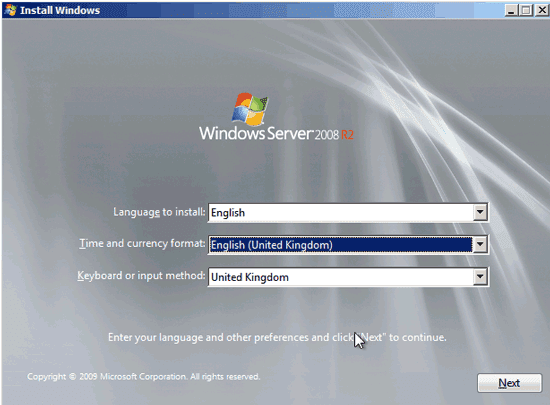
Do you plan to reinstall Windows Server 2008 R2, but unfortunately whose product key has been lost? How to find Windows server 2008 R2 product key instantly?
find product key to reinstall server 2008 r2
Maybe you can find server 2008 R2 product key from Internet free over and over. However, it doesn’t promise to work for your server computer effectively. But here, there is an effective tool – iSunshare Product Key Finder, which could find Windows server 2000/2003/2008/2012 product key instantly. If you have any doubts, let's see how it works for Windows server 2008 lost product key finder below.

First, get Product Key Finder from Internet.

Search "iSunshare Product Key Finder" in Google, you would find it. Please download it from isunshare website. But the version you just download is a trial version. Only a part of product key could be shown after find product key with this tool. So if you want to find all product keys one time, choose "iSunshare product key finder full version". 

Second, install and run Product Key Finder on your computer.

Double-click it to install and run Product Key Finder on computer. And what we should pay attention is that the computer is installed with Windows Server 2008 R2, or have ever been installed with and Windows Server 2008 R2 information in registry file has not been deleted.

When this product key finder tool runs, you can find it is a program to recover product keys (CD Key) for currently installed software, including Windows, Office, IE, SQL Server, Exchange Server, Visual Studio, VMWare, Adobe and other more products. Besides, product key finder could run in any computer with any Windows operational systems, even if the hard disk is crashed.

Now, click "Start Recovery" button to recover Windows server product key.


Third, Save All Product Keys (Windows Server Product Key)

Few seconds later, product keys of all products mentioned above and ever installed in computer, list in a form of product key finder screen. Surely Windows Server 2008 R2 product key is included in the form too.

Click "Save" or "Save to File" button to save Server 2008 R2 product key in a text file.


Now, you have found Windows Server 2008 product key successfully. So there would be no problem on product key if you want to reinstall Windows Server 2008 now. More articles about product key or Windows server, please see here: